Fridge Y — 35QT powered fridge/freezer for Tesla Model Y 5-seat sub-trunk

SKU: Fridge-Y-1
$269.00
$269.00
Carrier: FedEx/UPS

Free shipping to the 48 contiguous US states. Ships from our US warehouse.

Features:

  • Simple drop-in installation, drop and plug in.
  • Bluetooth connection for turning on and off and adjust temperature.
  • High Quality Cooling compressor, only 30 mins to cool from 50°F to -4°F.

The trunk cover still closes

  • The included EVA vent tabs raise the sub-trunk cover by about ¼ in so the compressor can breathe with the cover back in place. You keep a flat load floor and can still stack on top.
  • They look like packaging. They are not. Keep them.

Specifications:

  • Capacity: 35 Quarts (33 L), Weight: 29 Pounds.
  • Power Consumption: 0.9 kWh per Day
  • Compatibility: Fits the 5-seat Model Y. On 7-seat models it stands about 1 inch above the trunk floor, so the cargo cover will not sit flat.

In the box

  • Fridge, DC power cable for the car, and the manual — everything you need to run it in your Tesla.
  • Planning to pre-chill it before a trip, or use it indoors as a spare fridge? Add the AC adapter for a standard 110V outlet.

Will it drain my battery?

  • To keep the refrigerator powered after leaving and locking the vehicle, go to Controls > Charging and enable Keep Accessory Power On.
  • This feature is unavailable when the vehicle is in Low Power Mode and will increase energy consumption.

How to control temperature with the Cfridge app

Before you can change the set temperature, connect the app to the fridge once over Bluetooth.

  1. Open the Cfridge app and tap Start searching.
  2. When your fridge appears (device ID like SZ_…), tap Connect.
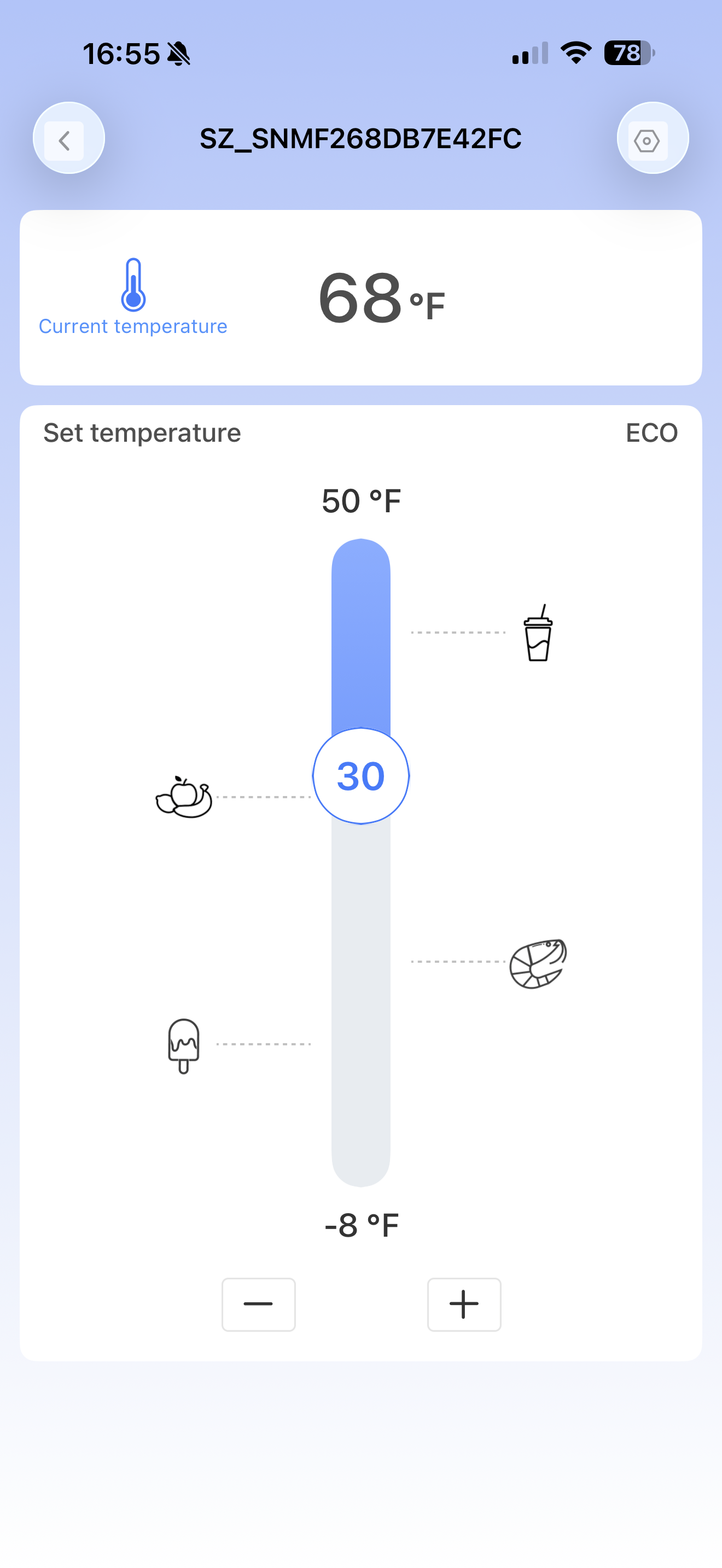
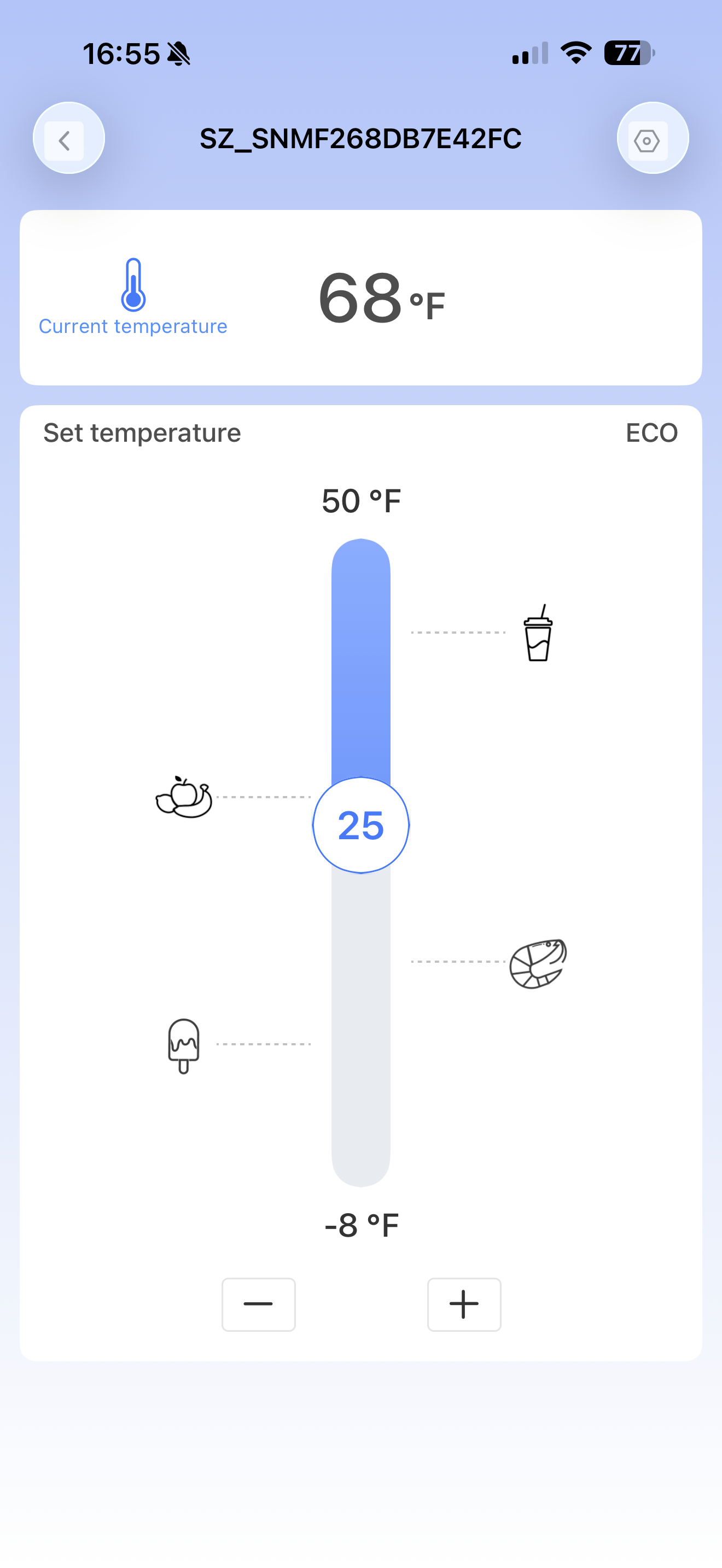
  3. After it connects, you will see Current temperature and the Set temperature slider.
  4. Press and hold the round slider handle and drag it up or down to set the target temperature (or use − / +).
Cfridge app Start searching screen Cfridge app Bluetooth search and Connect screen Cfridge app temperature slider Cfridge app set temperature screen

Why temperature rises when the car is parked

Fridge Y / Fridge X / Fridge W need continuous 12V power from the car to run the compressor and hold temperature.

When a Tesla is locked or left parked, it often turns off accessory power after a while. The compressor stops, and the inside temperature will slowly rise. This is normal vehicle power behavior, not a failed compressor.

Please Note:

To keep the refrigerator powered after leaving and locking the vehicle, go to Controls > Charging and enable Keep Accessory Power On.
This feature is unavailable when the vehicle is in Low Power Mode and will increase energy consumption.

(Older software may use related names such as Camp Mode or Sentry Mode to keep accessory power available; prefer Keep Accessory Power On when your car shows it.)

If the outlet stays powered and the fridge still will not hold temperature, contact support.

Fridge Y — 35QT powered fridge/freezer for Tesla Model Y 5-seat sub-trunk

Fridge Y — 35QT powered fridge/freezer for Tesla Model Y 5-seat sub-trunk

$269.00

Fridge Y — 35QT powered fridge/freezer for Tesla Model Y 5-seat sub-trunk

$269.00

    PERFECT FIT FOR TESLA MODEL Y SUB TRUNK

    You can store and organize your groceries in your sub trunk and make the most efficient use of space.

    POWERFUL & ENERGY EFFICIENT

    PRODUCT DETAILS

    What's in The Box
    1. Fridge Y
    2. DC Cable
    3. EVA Pads
    4. Towel
    5. User Manual

    FAQ

    How to ensure normal operation when parking

    To keep the fridge running after you lock the car and walk away, go to Controls > Charging on the car screen and turn on Keep Accessory Power On. Without it the car cuts 12V power a few minutes after you leave, and the fridge stops. This feature is unavailable in Low Power Mode and will increase energy consumption.

    For Model Y, there is a power socket located on the left side of the rear trunk, which makes it quite easy to connect our Fridge Y. For Model 3, our fridge can get power from the front cigarette lighter of Model 3 via our 3-meter-long cable.

    Absolutely. Our fridge is designed to be universal, meaning that it can run off of the cigarette lighters found in both gas and electric cars.

    Please make sure the refrigerator is in MAX mode, because the temperature cannot be adjusted in ECO mode as we designed it.

    1. Check Bluetooth and Location Settings:

    • Ensure that Bluetooth is enabled on your mobile phone.
    • Make sure that location services (GPS) are turned on as well.

    2. Reinstall the App:

    • If the issue persists, try uninstalling the app from your mobile phone.
    • Download and reinstall the app from the app store.

    Yes, Fridge Y is compatible with portable power stations, portable batteries, and other charging methods. However, it requires a voltage of DC 12/24V or AC 100-240VAC for proper operation.

    Fridge Y is compressor.

    Yes. The fridge draws about 0.185-0.195 kWh per 24 hours. We tested it at -2°C, left in the car for 12 hours overnight, and the car's charge dropped by about 2% - and most of that was Sentry Mode, not the fridge. To keep it running while the car is locked, go to Controls > Charging on the car screen and turn on Keep Accessory Power On, so the 12V supply stays live after you walk away. You can also set the 12V battery protection level on the panel: H, M or L.

    As for the situation, you can set 12v battery voltage protection level on the panel of our product. There are three levels for your choice: H-M-L.

    Refrigeration issues can be categorized into three types: slow refrigeration, failure to refrigerate, and incorrect temperature display. Here’s how to diagnose and address each issue:

    1. Slow Refrigeration:

           Possible Causes:

    •  High ambient temperature or overcrowding inside the refrigerator.

           Solution:

    • Ensure there is adequate ventilation around the refrigerator.
    • Place the refrigerator in a cooler environment if possible.
    • Reduce the amount of food stored inside and allow space for better air circulation.
    1. Failure to Refrigerate:

            Possible Causes: 

    • Insufficient refrigerant or compressor malfunction.

            Solution:

    • Check if the refrigerator compressor is operational.
    • Set the refrigerator temperature to -4°F (-20°C) and place a cup of water inside.
    • After twelve hours, check if the water is frozen.
    • If the compressor does not work, email our customer support: titus@dohometech.com for further assistance. We will coordinate with the factory to resolve the issue promptly.
    1. Incorrect Temperature Display:

            Possible Causes:

    •  High ambient temperature or incorrect temperature settings.

            Solution:

    • Adjust the temperature compensation value as needed.
    • Contact our support team: titus@dohometech.com to guide you through the adjustment process based on your feedback.
    • If the displayed temperature differs significantly from the actual temperature and the refrigerator freezes, consider replacing the refrigerator operation panel.

    If the problem persists, it may indicate a faulty thermometer, and we will arrange to send you a replacement.

    Make sure the refrigerator is in L position, otherwise F2 will be displayed.

    The F4 and F5 errors indicate poor heat dissipation, typically occurring when the ambient temperature around the refrigerator exceeds 120°F (49°C). Here are steps to resolve these errors:

    1.Increase Ventilation:

    • Improve the ventilation around the refrigerator.
    • Ensure there is adequate airflow to help dissipate heat effectively.

    2.Optimal Placement:

    • If using the refrigerator in a car, avoid placing it in a confined space or groove.
    • Instead, place it directly in the trunk of the car to allow better airflow and heat dissipation.